Ship a real website
in a single day.
How I designed, built, audited and deployed a 10-page production SEO site — start to finish, without leaving the editor. Claude Code + MCP + Cloudflare.
- Claude Code
- VS Code
- MCP
- Astro
- Tailwind
- Cloudflare Pages
What this actually is
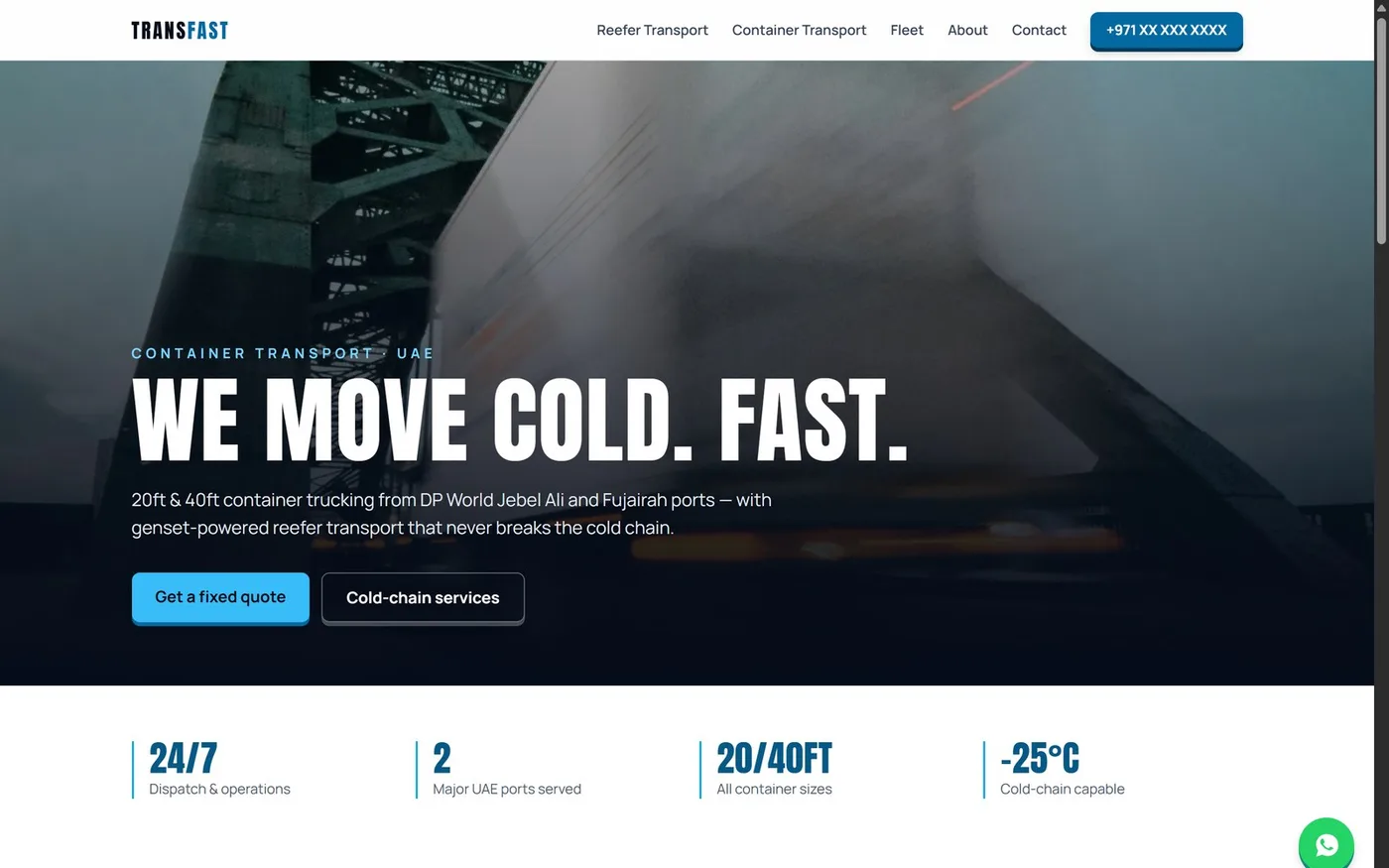
A field guide, not a tutorial. Every step below is something I did to ship transfast.ae — a real site for a UAE container-trucking company — including the parts that went wrong.
The point isn't "AI writes code." Everyone knows that. The point is a workflow where one agent carries a project from a vague idea to a live domain: it asks what you actually need, writes a plan, builds against that plan, reviews its own work, and then deploys — through the same chat window.
Stop treating the AI like autocomplete. Treat it like a contractor: give it success criteria, make it show you a plan first, and make it prove the work is done. That single change is worth more than any prompt template.
What you'll end up with
A real site
Multi-page, keyword-targeted, with structured data — not a one-page template.
Perfect scores
100/100 Lighthouse on SEO, accessibility and best practices. Verified, not assumed.
Live on your domain
Deployed to Cloudflare's edge with SSL, from the terminal.
A repeatable process
The workflow works for the next project too. That’s the real deliverable.
Get the tools in place
Four things. Nothing exotic.
Node.js + VS Code
Node 20 or newer, and VS Code. If you already write code, you have both.
Install Claude Code
One command, then open it inside VS Code's terminal. It picks up the editor automatically and can read your selection and open files.
# install once, globally
npm install -g @anthropic-ai/claude-code

# cd into your project folder, then just:
claude
There's also an official VS Code extension if you'd rather have it in a side panel than the terminal. Same agent either way.
A Cloudflare account
Free tier is genuinely enough — Pages hosting, global CDN, SSL and unlimited bandwidth cost nothing.
A domain (optional at first)
You can build and deploy without one. Cloudflare gives you a free your-project.pages.dev URL immediately — attach a real domain whenever
you're ready.
Don't start by asking for code
This is the part most people skip, and it's the part that decides whether you get something real or something generic.
Step 1 — Make it interview you
Before any code exists, make the agent ask questions. What's the business? Who's the customer? What should the site rank for? Every answer removes a guess it would otherwise make badly.
Prompt that works
"I want to build a website for [business]. Before writing any code, ask me questions one at a time until you understand the business, the audience, and what it needs to rank for. Then propose 2–3 approaches with trade-offs and tell me which you'd pick."
Step 2 — Get a written plan before a single file
Ask for a spec, then an implementation plan, saved as files in the repo. This sounds like overhead. It isn't — it's what stops the agent from drifting halfway through and inventing a different architecture than the one you agreed on.
A written plan is a contract you can point at later. When the agent builds something odd on page 7, you don't argue — you say "that contradicts the plan," and it fixes itself against a shared source of truth.
Step 3 — Build in small, reviewed chunks
One task at a time, each ending in a working build and a commit. After each chunk, have it review its own diff against the plan. It catches a surprising amount — in my build it flagged its own colour-contrast failures and a meta description 11 characters over the limit.
Prompt that works
"Work through the plan one task at a time. After each task: run the build, verify it actually works, commit, then review your own diff for anything that contradicts the spec. Don't move on until it's clean."
10 pages, each with its own keyword focus, JSON-LD structured data, self-hosted fonts, and zero JavaScript frameworks shipped to the browser. All verified with real Lighthouse runs — not "should be fine."
Give the agent hands
MCP (Model Context Protocol) lets the agent talk to real services — your Cloudflare account, your database, your design tool — instead of just telling you what to click.
Without MCP, deployment goes: agent writes instructions → you read them → you click through a dashboard. With MCP, the agent creates the project, configures DNS, and attaches the domain itself, then verifies it worked.
Connecting a server
Inside Claude Code, run /mcp to see available servers and authorize them
through your browser. Cloudflare, GitHub, Sentry, Supabase, Figma and many others publish
official ones.
/mcp          # list + authorize servers

# then just ask in plain English:
"Create a Cloudflare Pages project and deploy this,
 then attach my domain and verify it's serving."
An MCP token can be read-only. Mine was at first — the agent could see my Cloudflare zones but every write failed, which cost a confusing few minutes. If writes fail with an auth error, check the token's scope before debugging anything else.
Get it on the internet
# one-time browser login
npx wrangler login

# build, then ship the static output
npm run build
npx wrangler pages deploy dist --project-name=my-site

✨ Deployment complete! https://my-site.pages.dev
Add it as a script so redeploying is one word:
"scripts": {
  "deploy": "astro build && wrangler pages deploy"
}
Pointing your domain at it
- Add your domain in Cloudflare → it gives you two nameservers.
- At your registrar, replace the existing nameservers with those two. Remove the old ones entirely — leaving one behind causes random failures.
- Wait for the zone to go active (often minutes, officially up to 24h).
-
In your Pages project → Custom domains → add the apex and the
wwwversion. SSL is automatic.
Mine was a .ae domain, and Cloudflare showed a scary "this TLD isn't
supported" warning. That warning is only about transferring the registration
to Cloudflare — using Cloudflare for DNS works fine. "Add site anyway" was the right
button. Check what a warning actually refers to before backing out.
Five things that bit me
The parts no tutorial mentions, because they only show up when you ship something real.
| What happened | What to do about it |
|---|---|
| Placeholder domain in canonicals | I built with a fake domain. Every canonical URL, the sitemap and the schema pointed at a domain that didn’t exist. Keep all of it in one config file so launch day is a single edit. |
| Accent colour failed contrast | My brand blue measured 4.09:1 on white — just under the 4.5:1 minimum. Lighthouse caught it. Test the colour, don’t trust the swatch. |
| Single-weight fonts | Some display fonts ship one weight. Asking for bold makes the browser fake it, and it looks awful. Check what weights actually exist. |
| "Build passed" ≠ "it works" | A build can pass while never touching the file you changed. Insist on verification that actually exercises the thing — a real page load, a real audit run. |
| Fake stats in copy | The agent will happily invent "500+ trucks" if you let it. Make it use placeholders you must fill in. Never publish numbers you can’t defend. |
Ask "how did you verify that?" after anything important. If the answer is a guess rather than a command that ran and its output, it isn't done yet.
The short version
- Install Claude Code, open it in your project
- Make it interview you before it writes anything
- Get a written spec and plan, saved in the repo
- Build one task at a time, verifying and committing each
- Connect the Cloudflare MCP with
/mcp - Deploy with
wrangler pages deploy - Point your domain, add the custom domain, done
- Run Lighthouse against the live URL, not localhost
No agency. No handoff. No three-week timeline. If you build something with this, I'd genuinely like to see it.